

Other RHESSI
Web Sites

Configuring Mirror and testing your SSW Installation
The IDL command fix_ssw_update only needs to be run one time.  It is used to properly configure the Mirror program for future software updates.
1.    Start IDL by double clicking the SSWIDL.BAT file on your desktop.
2.    At the IDL command line, type "fix_ssw_update".
        (Users in Europe should type "fix_ssw_update, /england")
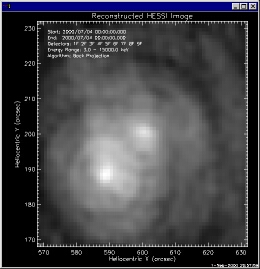
3.    To test the software, type "hessi_image" at the command line.
        If the installation was successful, after a few minutes you will
        see the image below appear.

        Return to the main page


Link to NASA Home Page

Responsible NASA Official:  Gordon D. Holman

Web Design:  Merrick Berg, Brian Dennis, Gordon Holman, & Gilbert Prevost

Heliophysics Science Division
NASA/Goddard Space Flight Center
Laboratory for Solar Physics/ Code 671
Greenbelt, MD, 20771, USA
Gordon.D.Holman@nasa.gov

Link to NASA/Goddard Home Page

+ NASA Privacy Statement, Disclaimer, and Accessibility Certification

This site last updated November 10, 2008.